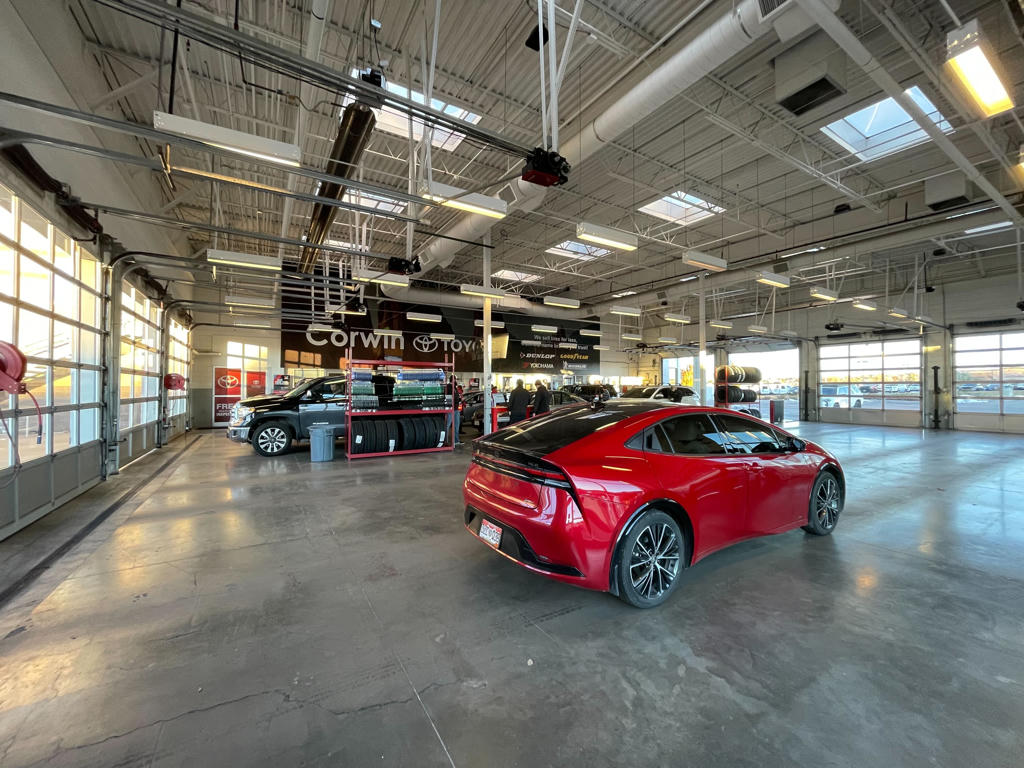
Service Workflow

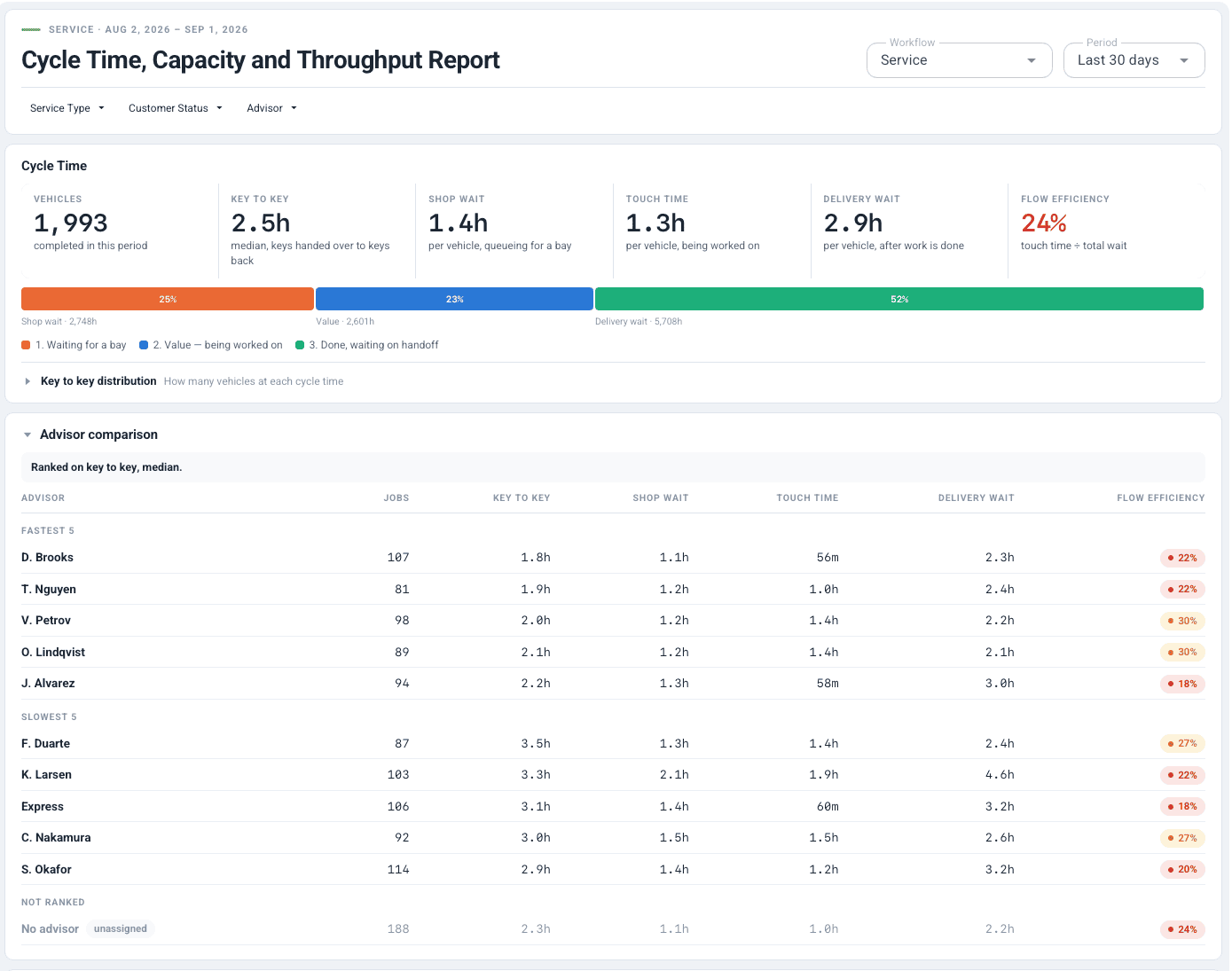
Track every vehicle from drop-off to delivery. Eliminate bottlenecks and increase throughput — automatically.

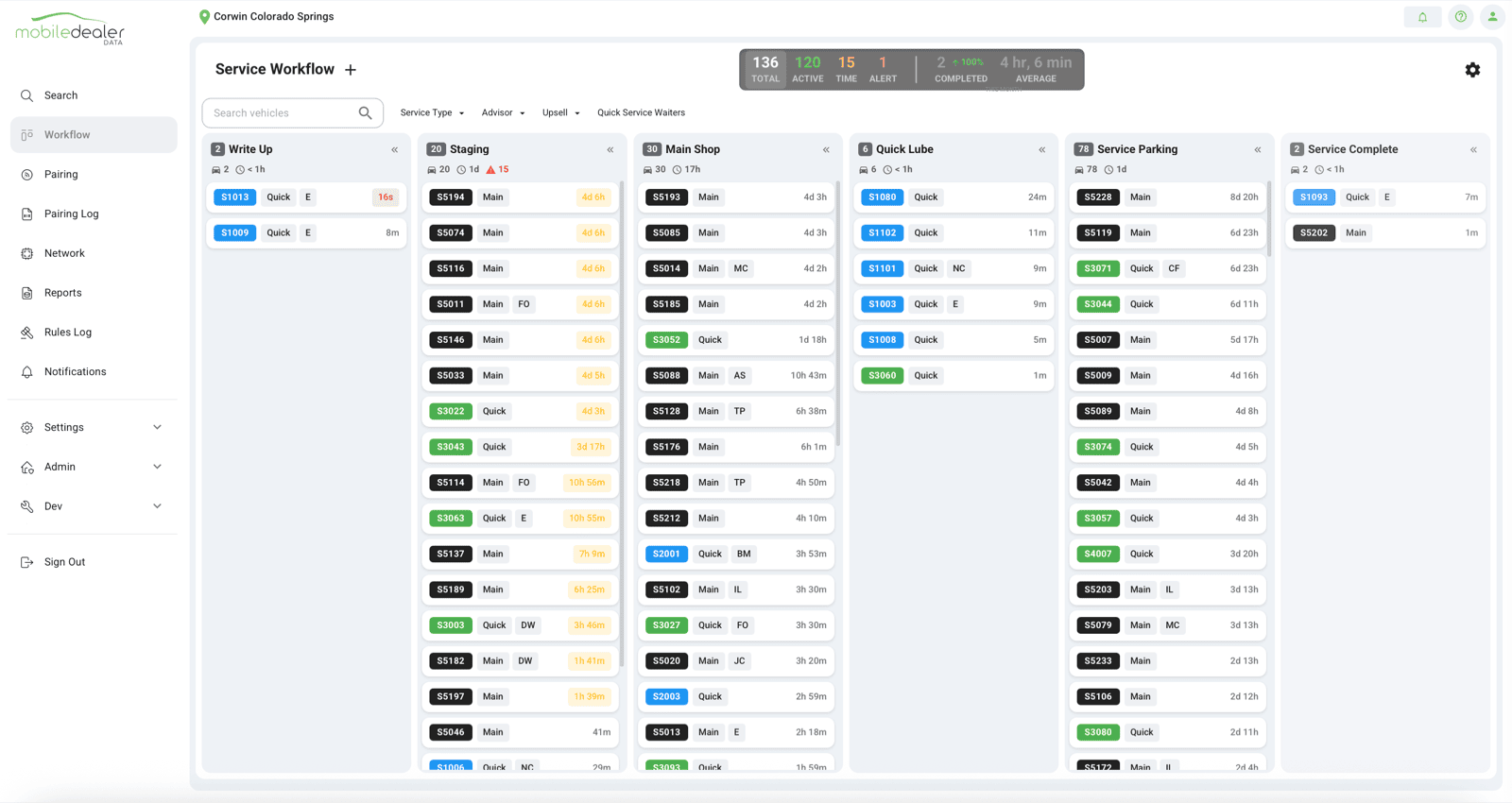
Service workflow dashboard on iMac monitor
The Problem

Bottlenecks Kill Your Service Throughput

  • Technicians wait for vehicles — wasting billable hours
  • Advisors don't know where customer vehicles are in the process
  • Customers call repeatedly asking for status updates
  • Vehicles sit completed but uncommunicated — hurting CSI scores
Service workflow dashboard on iMac monitor
How It Works

Automatic Workflow Tracking

Geofence Macbook
1

Define Zones

Set up zones for each service stage: check-in, waiting, in-bay, wash, ready.

Automotive workflow management dashboard
2

Track Automatically

As vehicles move, status updates automatically. No manual check-ins needed.

MDD_real-time-alerts
3

Get Alerts

Notify advisors when vehicles are ready. Alert on bottlenecks before they hurt throughput.

See It In Action

The Service Workflow Dashboard

Service workflow dashboard on iMac monitor
ChatGPT Image Dec 24, 2025 at 06_24_13 PM
WarmerColder
Built For

Who Uses Service Workflow

Service Directors

See bottlenecks in real time. Increase throughput and RO count.

Learn more

Service Advisors

Know exactly where every customer vehicle is. Answer questions instantly.

Learn more

Technicians

Spend less time waiting for vehicles. More time turning wrenches.

Learn more

Fixed Ops Managers

Track performance metrics and identify improvement opportunities.

Learn more

More Throughput. Less Waiting.

See how Service Workflow works for your dealership.